
Mastering the Critical Rendering Path: From First Paint to Performance Optimization
A Slow Website and a Frustrated Developer
Alex, a dedicated web developer, sat staring at the screen, frustration mounting with each passing second. The website they had meticulously crafted was taking an eternity to load, and the impact was palpable. Users were abandoning the site before it even had a chance to make an impression. The analytics told a grim story: high bounce rates, low engagement, and a dwindling user base. It was clear that something had to change, and fast.
The Impact of Slow Loading Times
In today's fast-paced digital world, users expect websites to load in the blink of an eye. Studies have shown that a delay of even a single second can lead to a 7% reduction in conversions. For Alex, this meant that every second of delay was costing potential customers and tarnishing the brand's reputation. The stakes were high, and the pressure to deliver a seamless user experience was immense.
The Quest to Understand What Blocks the First Paint
Determined to get to the root of the problem, Alex embarked on a quest to understand what was blocking the first paint—the moment when the browser begins to render the page's content on the screen. This initial rendering is crucial; it's the first impression users get, and it sets the tone for their entire experience on the site.
Alex knew that the Critical Rendering Path was at the heart of the issue. This complex process involves the browser parsing HTML, constructing the Document Object Model (DOM), and then combining it with the CSS Object Model (CSSOM) to create the Render Tree. Any inefficiencies or bottlenecks in this path could delay the first paint, leading to the sluggish performance that was plaguing the site.
With a clear goal in mind, Alex set out to master the intricacies of the Critical Rendering Path, determined to transform the website from a slow-loading liability into a high-performance asset. The journey would be challenging, but the potential rewards were too significant to ignore.
The Origins of the Critical Rendering Path
As Alex delves into the world of web performance optimization, they find themselves tracing the roots of the Critical Rendering Path, a concept that has become pivotal in modern web development. Understanding its origins provides Alex with the context needed to tackle the performance issues plaguing their website.
The Evolution of Web Browsers and Rendering Engines
The journey begins with the evolution of web browsers, which have undergone significant transformations since the early days of the internet. In the 1990s, browsers like Netscape Navigator and Internet Explorer dominated the scene. These early browsers were relatively simple, primarily focused on rendering static HTML content. However, as the web evolved, so did the complexity of web pages, necessitating more sophisticated rendering engines.
The introduction of CSS in the mid-1990s marked a turning point, allowing developers to separate content from presentation. This shift required browsers to develop more advanced rendering engines capable of handling both HTML and CSS. The release of Mozilla Firefox in 2002, with its Gecko rendering engine, and Google Chrome in 2008, featuring the Blink engine, exemplified the rapid advancements in browser technology. These engines were designed to efficiently parse and render increasingly complex web pages, setting the stage for the development of the Critical Rendering Path.
Key Figures and Milestones in the Development of Rendering Paths
Several key figures and milestones have shaped the development of rendering paths. One notable figure is Håkon Wium Lie, who co-authored the CSS specification and played a crucial role in promoting the separation of content and style. His work laid the groundwork for more efficient rendering processes.
Another significant milestone was the introduction of the Document Object Model (DOM) by the World Wide Web Consortium (W3C) in the late 1990s. The DOM provided a structured representation of a web page, enabling browsers to manipulate content dynamically. This development was instrumental in the evolution of rendering paths, as it allowed browsers to construct a render tree by combining the DOM with the CSS Object Model (CSSOM).
The concept of the Critical Rendering Path itself emerged as developers and browser vendors sought to address performance bottlenecks. As web pages became more interactive and resource-intensive, the need to optimize the sequence of rendering operations became apparent. This led to the formalization of the Critical Rendering Path, which outlines the steps browsers take to render a web page from the initial HTML to the first paint.
How Early Web Performance Issues Led to the Concept
In the early 2000s, web performance issues became increasingly apparent as users demanded faster and more responsive websites. Slow loading times were a common complaint, often resulting from inefficient rendering processes. Developers began to recognize that the order in which resources were loaded and rendered had a significant impact on performance.
The realization that certain resources, such as CSS and JavaScript, could block rendering until they were fully loaded and parsed, highlighted the need for a more strategic approach. This understanding led to the identification of the Critical Rendering Path as a key factor in optimizing web performance. By focusing on minimizing render-blocking resources and prioritizing critical content, developers could significantly improve the speed at which a web page became visible to users.
For Alex, grasping the historical context of the Critical Rendering Path is enlightening. It not only provides a deeper understanding of the challenges faced by early web developers but also underscores the importance of optimizing rendering paths in today's fast-paced digital landscape. Armed with this knowledge, Alex is better equipped to tackle the performance issues that have been hindering their website's user experience.
Why the Critical Rendering Path Matters
As Alex delves deeper into the world of web performance, they quickly realize that the Critical Rendering Path (CRP) is at the heart of rendering web pages efficiently. Understanding its significance is crucial for any web developer aiming to enhance user experience and engagement.
The Role of the Critical Rendering Path
The Critical Rendering Path is the sequence of steps that browsers take to convert HTML, CSS, and JavaScript into pixels on the screen. It involves constructing the Document Object Model (DOM), the CSS Object Model (CSSOM), and the Render Tree, followed by layout and painting processes. This path determines how quickly a user sees the first visual response from a webpage, known as the "first paint."
For Alex, mastering the CRP means understanding how each component interacts and contributes to the rendering process. By optimizing this path, Alex can ensure that users experience faster load times and smoother interactions, which are essential for retaining visitors and reducing bounce rates.
Common Problems Caused by Inefficient Rendering Paths
Inefficient rendering paths can lead to several issues that frustrate both developers and users:
- Delayed First Paint: When the CRP is not optimized, users may experience a delay before any content appears on the screen, leading to a perception of a slow website.
- Janky Animations: Poorly optimized paths can cause animations to stutter or lag, detracting from the overall user experience.
- Increased Load Times: Inefficiencies in the CRP can result in longer load times, which can negatively impact search engine rankings and user satisfaction.
Alex encounters these problems firsthand when analyzing the slow-loading website. The realization that an inefficient CRP is a major contributor to these issues drives Alex to explore optimization techniques.
The Benefits of Optimizing the Critical Rendering Path
Optimizing the CRP offers numerous advantages that can significantly enhance web performance:
- Faster Load Times: By streamlining the CRP, Alex can reduce the time it takes for the first paint to occur, leading to quicker load times and improved user engagement.
- Improved User Experience: A well-optimized CRP ensures that animations and interactions are smooth, providing a seamless experience for users.
- Better SEO Performance: Search engines favor websites with fast load times, so optimizing the CRP can lead to better search rankings and increased visibility.
For Alex, the benefits of optimizing the CRP are clear. By focusing on this critical aspect of web performance, Alex can transform a sluggish website into a fast, responsive, and user-friendly platform. This not only enhances the user experience but also contributes to the overall success of the website.
Understanding the Critical Rendering Path
As Alex delves deeper into the world of web performance optimization, they encounter the concept of the Critical Rendering Path (CRP). This is a pivotal moment in their journey, as understanding the CRP is essential to improving the speed at which a website becomes visible to users.
What is the Critical Rendering Path?
The Critical Rendering Path is the sequence of steps that a browser takes to convert HTML, CSS, and JavaScript into pixels on the screen. It is a crucial process that determines how quickly a web page can be rendered and displayed to the user. The goal of optimizing the CRP is to minimize the time it takes for the first paint, which is the moment when the user first sees any content on the screen.
Key Components of the Critical Rendering Path
To grasp the intricacies of the CRP, Alex needs to understand its key components: the Document Object Model (DOM), the CSS Object Model (CSSOM), and the Render Tree.
- DOM (Document Object Model):
-
The DOM is a tree-like structure that represents the HTML content of a web page. When a browser parses the HTML, it constructs the DOM, which serves as an interface for scripts to dynamically access and update the content and structure of the document.
-
CSSOM (CSS Object Model):
-
Similar to the DOM, the CSSOM is a tree structure that represents the CSS styles of a web page. The browser parses the CSS files and constructs the CSSOM, which is then used to determine the styling of each element in the DOM.
-
Render Tree:
- The Render Tree is a combination of the DOM and CSSOM. It contains only the nodes required to render the visible content on the screen. The Render Tree is used to calculate the layout of each element and to paint the pixels on the screen.
The Sequence from HTML to First Paint
Alex learns that the journey from HTML to the first paint involves several critical steps. Understanding this sequence is key to identifying what might be blocking the first paint on their slow-loading website.
- Parse HTML and Build DOM:
-
The browser starts by parsing the HTML document and building the DOM. This process involves converting the HTML tags into a structured tree format.
-
Parse CSS and Build CSSOM:
-
Concurrently, the browser fetches and parses the CSS files, constructing the CSSOM. This step is crucial for determining the styles that will be applied to the DOM elements.
-
Combine DOM and CSSOM to Create Render Tree:
-
The browser combines the DOM and CSSOM to create the Render Tree. This tree includes only the elements that are visible on the screen, excluding any elements with
display: none. -
Layout Calculation:
-
The browser calculates the layout of each element in the Render Tree, determining the exact position and size of each element on the screen.
-
First Paint:
- Finally, the browser paints the pixels on the screen, resulting in the first visible content for the user.
By understanding the Critical Rendering Path and its components, Alex is now equipped with the knowledge to identify potential bottlenecks in the rendering process. This understanding is the first step towards optimizing the website's performance and ensuring a faster, more seamless user experience.
How Browsers Render Web Pages
As Alex delves deeper into optimizing the slow-loading website, they realize that understanding how browsers render web pages is crucial. This knowledge will help them identify what blocks the first paint and how to streamline the process. Let's explore the steps involved in rendering a web page, from parsing HTML to creating the Render Tree.
Parsing HTML and Building the DOM
The journey begins with the browser receiving an HTML document. The browser's rendering engine parses the HTML, converting it into a Document Object Model (DOM). The DOM is a tree-like structure that represents the document's content and structure. Each HTML element becomes a node in this tree, allowing the browser to understand the hierarchy and relationships between elements.
For example, consider a simple HTML snippet:
<!DOCTYPE html>
<html>
  <head>
    <title>Sample Page</title>
  </head>
  <body>
    <h1>Hello, World!</h1>
    <p>This is a sample page.</p>
  </body>
</html>
The browser parses this HTML and constructs a DOM tree with nodes for <html>, <head>, <body>, <h1>, and <p>. This process is crucial because the DOM serves as the foundation for subsequent rendering steps.
Constructing the CSSOM and Combining It with the DOM
Once the DOM is built, the browser moves on to parsing CSS files. This step involves creating the CSS Object Model (CSSOM), which is another tree structure representing the styles applied to the document. The CSSOM is constructed by parsing all the CSS rules and selectors.
For instance, if the CSS file contains:
body {
  font-family: Arial, sans-serif;
}

h1 {
  color: blue;
}
The browser creates a CSSOM tree that maps these styles to the corresponding elements in the DOM. The next step is to combine the DOM and CSSOM to create a Render Tree. This tree includes only the visible elements on the page, with their associated styles.
Creating the Render Tree and Layout Calculations
The Render Tree is a crucial component in the rendering process. It determines what content will be displayed on the screen and how it will be styled. Unlike the DOM, the Render Tree excludes non-visual elements like <head> and elements with display: none.
Once the Render Tree is constructed, the browser performs layout calculations. This step involves determining the exact position and size of each element on the page. The browser calculates the dimensions and positions based on the styles applied, taking into account factors like margins, padding, and borders.
Visualizing the Process
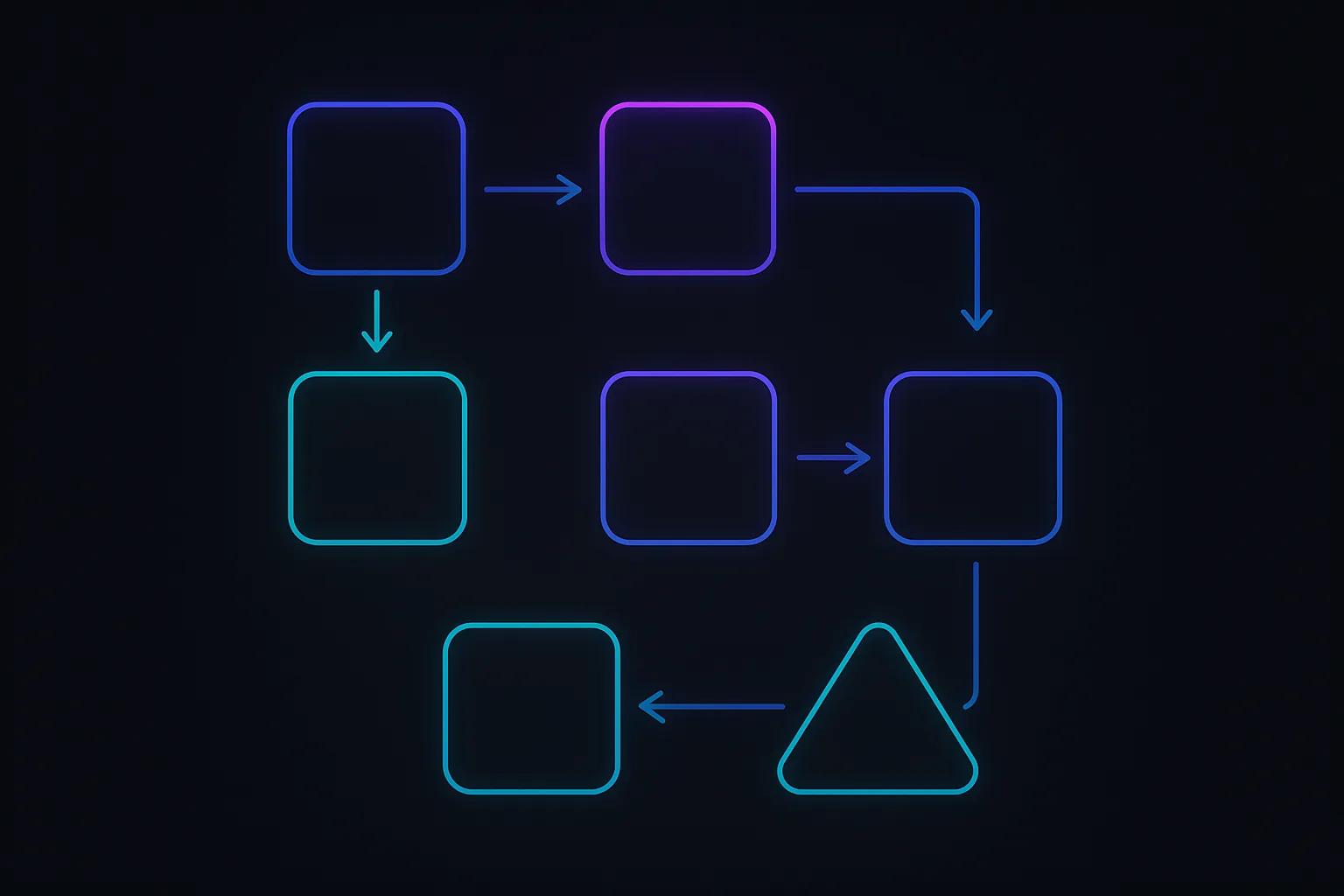
To better understand the rendering process, let's visualize it with a diagram:
In this diagram, we see the sequential steps from parsing HTML and CSS to the first paint. Each step builds upon the previous one, highlighting the interdependencies in the rendering process.
The First Paint
Finally, after the layout calculations, the browser can perform the first paint. This is the moment when the user sees the initial content on the screen. For Alex, understanding these steps is a revelation. It becomes clear that any inefficiencies or delays in this process can significantly impact the time it takes for the first paint to occur.
By mastering how browsers render web pages, Alex is now equipped to identify bottlenecks and optimize the Critical Rendering Path, paving the way for a faster, more responsive website.
First Steps: Basic Optimization Techniques
Alex, the web developer, sat at their desk, staring at the performance metrics of their slow-loading website. The numbers were clear: the first paint was taking too long, and users were bouncing off the site before it even had a chance to make an impression. Determined to improve the situation, Alex decided to dive into the basics of optimizing the Critical Rendering Path.
Minimizing Critical Resources
The first step Alex took was to identify and minimize critical resources. These are the resources that must be loaded before the first paint can occur. By reducing the size and number of these resources, Alex could significantly speed up the initial rendering of the page.
- Optimize Images: Alex used tools like ImageOptim and TinyPNG to compress images without losing quality. This reduced the file size, allowing images to load faster.
- Minify CSS and JavaScript: By using tools like UglifyJS and CSSNano, Alex removed unnecessary characters from CSS and JavaScript files, reducing their size and improving load times.
- Use Modern Image Formats: Switching to modern formats like WebP helped Alex reduce image sizes further while maintaining quality.
Deferring Non-Critical CSS and JavaScript
Next, Alex focused on deferring non-critical CSS and JavaScript. These are resources that are not needed for the initial rendering of the page and can be loaded after the first paint.
- Media Queries for CSS: Alex used media queries to load CSS only when necessary. For example, styles specific to mobile devices were loaded only on smaller screens.
- JavaScript Defer and Async: By adding the
deferorasyncattribute to script tags, Alex ensured that JavaScript files were loaded without blocking the rendering of the page.
Here's a simple example of how Alex implemented this:
<!-- Before: Blocking script -->
<script src="main.js"></script>

<!-- After: Non-blocking script -->
<script src="main.js" defer></script>
Using Asynchronous Loading for Scripts
Finally, Alex explored asynchronous loading for scripts to further optimize the Critical Rendering Path. By loading scripts asynchronously, the browser could continue parsing HTML and rendering the page while the scripts were being fetched.
- Async Attribute: The
asyncattribute allows scripts to be downloaded in parallel with other resources, reducing the time to first paint.
Here's how Alex applied this technique:
<!-- Before: Synchronous script loading -->
<script src="analytics.js"></script>

<!-- After: Asynchronous script loading -->
<script src="analytics.js" async></script>
By implementing these basic optimization techniques, Alex noticed a significant improvement in the website's performance. The first paint was faster, and users were staying on the site longer. These initial steps laid the foundation for more advanced optimizations, but for now, Alex was satisfied with the progress made.
Real-World Applications and Case Studies
As Alex delves deeper into optimizing the Critical Rendering Path, they find inspiration in the success stories of well-known companies that have tackled similar challenges. These real-world examples not only provide practical insights but also highlight the tangible benefits of optimization.
Case Study: Pinterest
Pinterest, a popular visual discovery engine, faced significant performance issues that affected user engagement. The team embarked on a mission to optimize their Critical Rendering Path, focusing on reducing the time to first paint. By implementing several key strategies, Pinterest achieved remarkable results:
- Resource Prioritization: Pinterest identified and prioritized critical resources necessary for the initial render. By deferring non-essential scripts and styles, they reduced the time to first paint by 40%.
- Image Optimization: Given the image-heavy nature of Pinterest, optimizing image delivery was crucial. They adopted techniques like lazy loading and responsive images, which significantly decreased load times.
- Asynchronous JavaScript: By loading JavaScript asynchronously, Pinterest minimized render-blocking scripts, further enhancing performance.
The impact of these optimizations was profound. Pinterest reported a 15% increase in SEO traffic and a 15% rise in conversion rates, demonstrating the direct correlation between performance improvements and business metrics.
Case Study: Airbnb
Airbnb, a global leader in the travel industry, recognized the importance of a fast-loading website for user satisfaction. Their engineering team focused on optimizing the Critical Rendering Path to enhance the user experience:
- Critical CSS: Airbnb extracted and inlined critical CSS, ensuring that essential styles were loaded immediately. This approach reduced the time to first meaningful paint by 30%.
- Server-Side Rendering (SSR): By implementing SSR, Airbnb delivered pre-rendered HTML to the client, reducing the time required to construct the DOM and CSSOM.
- Code Splitting: Airbnb employed code splitting to load only the necessary JavaScript for each page, minimizing the initial load size and improving performance.
These efforts led to a 10% increase in user engagement and a noticeable reduction in bounce rates, underscoring the value of a streamlined rendering path.
Lessons Learned from Successful Implementations
Through these case studies, Alex learns several valuable lessons that can be applied to their own project:
- Prioritize Critical Resources: Identifying and loading only the essential resources for the initial render can drastically reduce load times.
- Optimize Media Delivery: Techniques like lazy loading and responsive images are crucial for media-heavy sites.
- Leverage Modern Techniques: Implementing strategies such as server-side rendering and code splitting can significantly enhance performance.
- Measure and Iterate: Continuous monitoring and iteration are key to maintaining optimal performance. Tools like Lighthouse and WebPageTest can provide valuable insights into rendering path efficiency.
Armed with these insights, Alex is ready to apply these strategies to their own website, confident that optimizing the Critical Rendering Path will lead to a faster, more engaging user experience.
Advanced Techniques for Performance Tuning
As Alex delves deeper into optimizing the slow-loading website, they realize that basic techniques are not enough to achieve the desired performance. It's time to explore advanced methods for optimizing the Critical Rendering Path, focusing on resource prioritization, reducing render-blocking resources, and utilizing advanced tools and metrics for performance analysis.
In-Depth Analysis of Resource Prioritization
Resource prioritization is crucial in ensuring that the most critical resources are loaded first, allowing the browser to render the page as quickly as possible. Alex learns that not all resources are created equal; some are essential for the first paint, while others can be deferred.
-
Critical vs. Non-Critical Resources: Alex identifies which resources are critical for the initial render. Critical resources include the main CSS file and essential JavaScript that affects the layout or interactivity of the page. Non-critical resources, such as images below the fold or analytics scripts, can be loaded later.
-
Resource Hints: Alex uses resource hints like
<link rel="preload">and<link rel="prefetch">to inform the browser about resources that should be prioritized. Preloading critical resources ensures they are fetched early, while prefetching can be used for resources needed in the near future.
```html
```
Techniques for Reducing Render-Blocking Resources
Render-blocking resources are those that prevent the browser from painting the page until they are fully loaded and processed. Alex focuses on minimizing these resources to speed up the first paint.
- Inlining Critical CSS: By inlining the critical CSS directly into the HTML, Alex reduces the need for an additional HTTP request. This technique is particularly effective for small CSS files that are essential for the initial render.
```html
```
- Deferring JavaScript: Alex defers non-essential JavaScript using the
deferattribute, ensuring that scripts are executed only after the HTML has been parsed.
```html
```
- Async Loading: For scripts that do not depend on other scripts or the DOM, Alex uses the
asyncattribute to load them asynchronously, allowing the browser to continue parsing the HTML.
```html
```
Advanced Tools and Metrics for Performance Analysis
To fine-tune the performance, Alex turns to advanced tools and metrics that provide deeper insights into the rendering process.
-
Chrome DevTools: Alex uses the Performance tab in Chrome DevTools to analyze the Critical Rendering Path. By recording a performance trace, Alex can visualize the sequence of events and identify bottlenecks.
-
Lighthouse: This automated tool provides a comprehensive audit of the website's performance, including metrics like First Contentful Paint (FCP) and Largest Contentful Paint (LCP). Alex uses Lighthouse to identify areas for improvement and track progress over time.
-
WebPageTest: Alex leverages WebPageTest to simulate different network conditions and devices, gaining insights into how the website performs across various scenarios. This tool helps Alex understand the impact of optimizations on real-world performance.
-
Resource Timing API: By utilizing the Resource Timing API, Alex gathers detailed timing data for each resource, allowing for precise analysis of loading times and identification of slow resources.
javascript
   const resources = performance.getEntriesByType('resource');
   resources.forEach(resource => {
     console.log(`${resource.name}: ${resource.duration}ms`);
   });
Through these advanced techniques, Alex successfully optimizes the Critical Rendering Path, significantly improving the website's loading speed and user experience. By prioritizing resources, reducing render-blocking elements, and leveraging powerful tools, Alex transforms the once sluggish site into a fast and responsive platform.
When to Focus on the Critical Rendering Path
Alex, our diligent web developer, has been on a journey to optimize a sluggish website. After understanding the components and processes involved in the Critical Rendering Path, Alex now faces a crucial question: when should they prioritize optimizing this path? This decision can significantly impact both the website's performance and the allocation of development resources.
Scenarios Where Optimization is Crucial
-
High Traffic Websites: For websites with a large volume of daily visitors, even minor delays in rendering can lead to substantial losses in user engagement and revenue. Optimizing the Critical Rendering Path ensures that users experience fast load times, reducing bounce rates and improving conversion rates.
-
Mobile-First Experiences: With the increasing number of users accessing websites via mobile devices, optimizing for mobile performance is essential. Mobile networks often have higher latency and lower bandwidth, making the Critical Rendering Path optimization vital to ensure a smooth user experience.
-
Time-Sensitive Applications: Websites or applications that rely on real-time data, such as stock trading platforms or live sports updates, require rapid rendering to provide timely information. Any delay in the rendering path can lead to outdated or irrelevant data being displayed to users.
Signs of Rendering Path Inefficiencies
Alex knows that identifying inefficiencies in the rendering path is the first step toward optimization. Here are some signs that indicate a need for attention:
-
Long Time to First Paint (TTFP): If users experience a noticeable delay before any visual content appears on the screen, it suggests that the rendering path is blocked or inefficient.
-
High First Contentful Paint (FCP) Times: A high FCP time indicates that the browser is taking too long to render the first piece of content, which can frustrate users and lead to higher bounce rates.
-
Frequent Layout Shifts: If elements on the page frequently shift positions during loading, it may indicate issues with the render tree construction or layout calculations.
Balancing Performance with Development Resources
While optimizing the Critical Rendering Path is important, Alex must also consider the available development resources. Here are some strategies to balance these priorities:
-
Prioritize High-Impact Pages: Focus on optimizing pages that have the most significant impact on user experience and business goals, such as landing pages or checkout processes.
-
Incremental Improvements: Instead of overhauling the entire website, Alex can implement incremental improvements. This approach allows for continuous optimization without overwhelming the development team.
-
Leverage Tools and Automation: Utilize performance analysis tools to identify bottlenecks and automate parts of the optimization process. This can save time and ensure that resources are used efficiently.
By understanding when to focus on the Critical Rendering Path, Alex can make informed decisions that enhance the website's performance while effectively managing development resources.
Common Pitfalls and How to Avoid Them
As Alex delves deeper into optimizing the Critical Rendering Path, they encounter several common pitfalls that can derail even the most well-intentioned efforts. Understanding these pitfalls is crucial for avoiding them and ensuring that the website's performance is truly enhanced.
Over-Optimization and Its Drawbacks
In the quest for speed, it's easy to fall into the trap of over-optimization. Alex learns this the hard way when they aggressively strip down resources, only to find that the website's functionality and user experience suffer as a result. Over-optimization can lead to:
- Loss of Functionality: Removing too many resources or compressing them excessively can break features or degrade the quality of images and media.
- Increased Complexity: Over-optimization often involves complex configurations that can make maintenance difficult and introduce bugs.
- Diminishing Returns: Beyond a certain point, the performance gains from further optimization are minimal compared to the effort required.
To avoid over-optimization, Alex focuses on balancing performance with usability. They prioritize optimizations that offer significant improvements without compromising the website's core functionality.
Misunderstanding Resource Prioritization
Another challenge Alex faces is misunderstanding how to prioritize resources effectively. Not all resources are created equal, and failing to prioritize them correctly can lead to inefficient rendering paths. Common mistakes include:
- Blocking Resources: Failing to identify and defer non-critical resources can block the rendering of the page, delaying the first paint.
- Incorrect Order: Loading resources in the wrong order can cause unnecessary delays. Critical CSS and JavaScript should be loaded first, while less important resources can be deferred or loaded asynchronously.
Alex learns to use tools like Chrome DevTools to analyze the loading sequence and identify which resources are blocking the rendering path. By adjusting the order and method of loading resources, they can significantly improve the time to first paint.
Ignoring Mobile Performance Considerations
In today's mobile-first world, ignoring mobile performance is a critical oversight. Alex initially focuses on desktop optimization, only to realize that the majority of their users access the site via mobile devices. Mobile performance considerations include:
- Network Conditions: Mobile networks are often slower and less reliable than desktop connections. Optimizations should account for these conditions.
- Device Capabilities: Mobile devices typically have less processing power and memory, making efficient resource management even more crucial.
- Responsive Design: Ensuring that the site is responsive and performs well on various screen sizes is essential for a seamless user experience.
To address these issues, Alex implements responsive design techniques and tests the website on various mobile devices and network conditions. They also leverage techniques like lazy loading and adaptive images to enhance mobile performance.
By recognizing and addressing these common pitfalls, Alex is able to optimize the Critical Rendering Path effectively, leading to a faster, more responsive website that delights users across all devices.
The Future of Web Rendering
As Alex delves deeper into optimizing the Critical Rendering Path, they can't help but wonder about the future of web rendering. The landscape of web development is ever-evolving, and staying ahead of emerging trends is crucial for maintaining a competitive edge.
Emerging Technologies Affecting Rendering Paths
One of the most significant shifts in web rendering is the adoption of WebAssembly (Wasm). This binary instruction format allows developers to run code written in multiple languages at near-native speed in the browser. By enabling more complex computations and graphics rendering, WebAssembly can significantly reduce the load on the Critical Rendering Path, leading to faster first paints and smoother user experiences. Alex considers how integrating WebAssembly into their workflow could enhance performance, especially for resource-intensive applications.
Another promising technology is the rise of Progressive Web Apps (PWAs). PWAs leverage modern web capabilities to deliver app-like experiences directly in the browser. Features like service workers and caching strategies can drastically improve load times and reduce the reliance on the network, thus optimizing the rendering path. Alex sees the potential in transforming their website into a PWA to harness these benefits.
The Role of AI and Machine Learning in Optimization
Artificial Intelligence (AI) and Machine Learning (ML) are beginning to play a pivotal role in web performance optimization. Tools powered by AI can analyze vast amounts of data to identify bottlenecks in the rendering path and suggest targeted improvements. For instance, AI-driven performance analysis tools can automatically detect inefficient code patterns or resource loading sequences that block the first paint.
Alex imagines a future where AI could autonomously optimize the rendering path in real-time, adapting to different user environments and device capabilities. This could lead to personalized performance enhancements, ensuring that each user experiences the fastest possible load times.
Predictions for the Future of Web Performance
Looking ahead, several trends are likely to shape the future of web performance:
-
Increased Adoption of Edge Computing: By processing data closer to the user, edge computing can reduce latency and improve rendering speeds. This shift will likely lead to more distributed architectures that optimize the Critical Rendering Path.
-
Enhanced Browser Capabilities: Browsers are continuously evolving, with new APIs and features that streamline rendering processes. Alex anticipates that future browser updates will further minimize the impact of render-blocking resources.
-
Greater Emphasis on Accessibility and Inclusivity: As web performance becomes more sophisticated, ensuring that optimizations do not compromise accessibility will be paramount. Alex is committed to balancing performance with inclusivity, ensuring that all users benefit from advancements in rendering technology.
By staying informed about these emerging trends and technologies, Alex is better equipped to navigate the challenges of web performance optimization. The future of web rendering promises exciting developments that will continue to push the boundaries of what's possible on the web.
Key Takeaways for Web Developers
As Alex wraps up their journey of optimizing the slow-loading website, several key insights emerge about the Critical Rendering Path (CRP) and its pivotal role in web performance. Understanding and mastering the CRP is essential for any web developer aiming to deliver a seamless user experience.
Recap of the Critical Rendering Path's Importance
The Critical Rendering Path is the sequence of steps that browsers take to convert HTML, CSS, and JavaScript into pixels on the screen. It is crucial because it directly impacts how quickly users see the first paint of a webpage. A well-optimized CRP ensures that users experience minimal delays, leading to higher engagement and satisfaction. Alex learned that by focusing on the CRP, they could significantly reduce the time it takes for the website to become interactive, thus improving user retention and conversion rates.
Essential Optimization Techniques to Remember
Throughout the optimization process, Alex discovered several techniques that are vital for enhancing the CRP:
-
Minimize Critical Resources: Reduce the number and size of resources that block rendering. This includes compressing images and minifying CSS and JavaScript files.
-
Defer Non-Critical CSS and JavaScript: Load non-essential resources asynchronously to prevent them from blocking the rendering of the page.
-
Prioritize Above-the-Fold Content: Ensure that the content visible to users without scrolling loads first, improving perceived performance.
-
Use Asynchronous Loading for Scripts: Implement
asyncanddeferattributes for script tags to prevent them from blocking the DOM construction.
These techniques helped Alex streamline the rendering process, leading to a faster and more efficient website.
Encouragement to Continually Monitor and Improve Performance
Alex's journey underscores the importance of continuous monitoring and optimization. Web performance is not a one-time task but an ongoing process. Developers should regularly use tools like Google Lighthouse and WebPageTest to analyze performance metrics and identify bottlenecks. By staying vigilant and proactive, developers can ensure their websites remain fast and responsive, adapting to new technologies and user expectations.
In conclusion, mastering the Critical Rendering Path is a powerful way to enhance web performance. By applying these insights and techniques, developers like Alex can create websites that not only meet but exceed user expectations.