
Kubernetes RBAC: Securing Your Cluster Properly
In the ever-evolving landscape of cloud-native applications, Kubernetes has emerged as the de facto standard for container orchestration. However, with great power comes great responsibility, particularly when it comes to securing your Kubernetes clusters. Role-Based Access Control (RBAC) is a critical component in this security architecture, ensuring that only authorized users and applications can perform specific actions within your cluster.
Why This Topic Matters NOW
As we step into 2025 and beyond, the complexity of distributed systems continues to grow. Organizations are increasingly adopting microservices architectures, deploying applications across hybrid and multi-cloud environments. This complexity necessitates robust security measures to protect sensitive data and maintain system integrity. Kubernetes RBAC is not just a nice-to-have; it's a necessity for any organization serious about security in a cloud-native world.
Deep Dive into Kubernetes RBAC
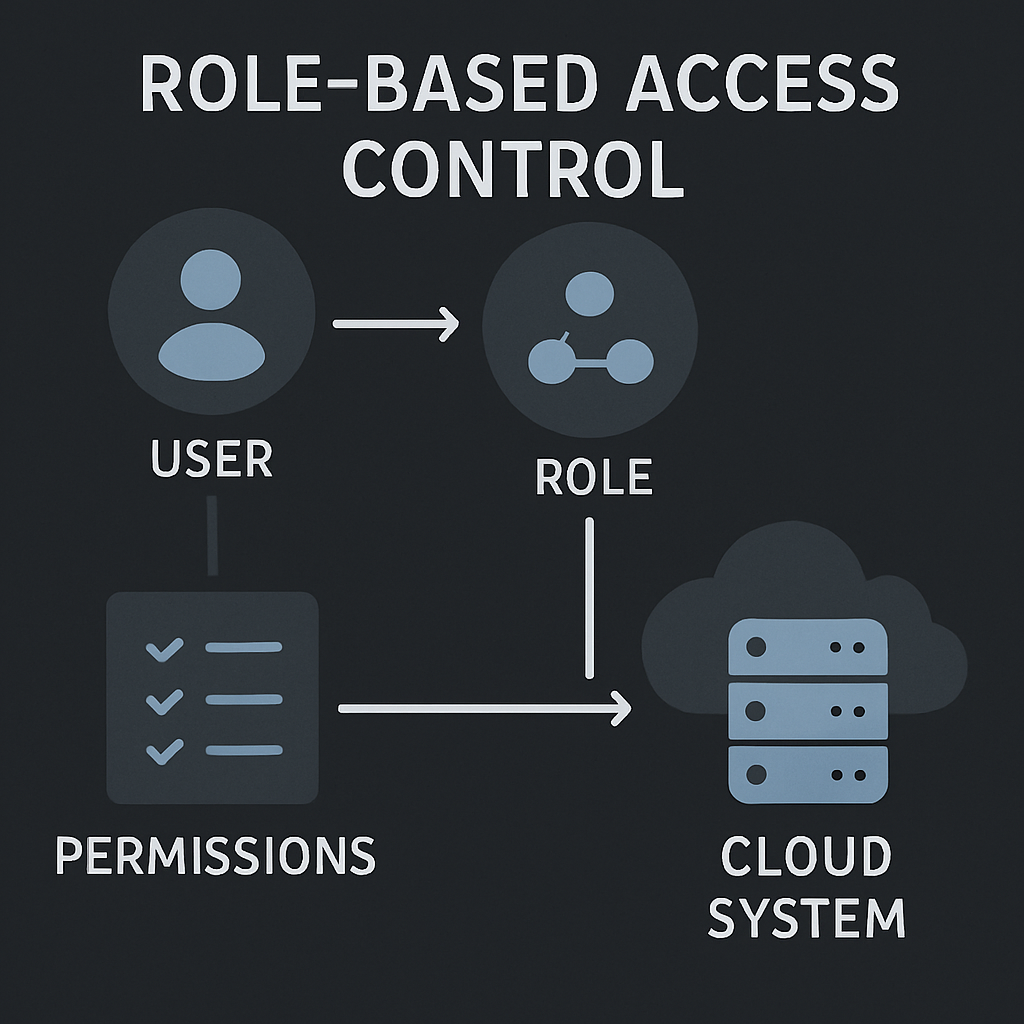
Kubernetes RBAC allows you to define who can do what within your cluster. It uses the following key concepts:
- Role: A set of permissions. Roles are namespaced, meaning they apply to resources within a specific namespace.
- ClusterRole: Similar to a Role, but applies to resources across all namespaces.
- RoleBinding: Grants the permissions defined in a Role to a user or set of users within a namespace.
- ClusterRoleBinding: Grants the permissions defined in a ClusterRole to a user or set of users across the entire cluster.
Example: Defining a Role and RoleBinding
Here's a simple example of defining a Role and a RoleBinding in Kubernetes:
apiVersion: rbac.authorization.k8s.io/v1
kind: Role
metadata:
  namespace: default
  name: pod-reader
rules:
- apiGroups: [""]
  resources: ["pods"]
  verbs: ["get", "watch", "list"]

---
apiVersion: rbac.authorization.k8s.io/v1
kind: RoleBinding
metadata:
  name: read-pods
  namespace: default
subjects:
- kind: User
  name: jane
  apiGroup: rbac.authorization.k8s.io
roleRef:
  kind: Role
  name: pod-reader
  apiGroup: rbac.authorization.k8s.io
In this example, the pod-reader Role allows reading pods in the default namespace, and the read-pods RoleBinding assigns this role to the user jane.
Real-World Use Cases and Architecture Patterns
In a microservices architecture, different services often require different levels of access to Kubernetes resources. For instance, a logging service might need to read logs from all pods, while a payment processing service should only interact with specific pods related to transactions.
This diagram illustrates the decision flow when a user requests access to a Kubernetes resource. The API server evaluates the request against the RBAC policies to determine whether to grant or deny access.
Pros, Cons, and Challenges
Pros
- Granular Control: RBAC provides fine-grained access control, allowing you to specify exactly what actions are permitted.
- Scalability: As your organization grows, RBAC scales with you, allowing you to manage permissions across large teams and complex environments.
Cons
- Complexity: Setting up and managing RBAC can be complex, especially in large organizations with many users and roles.
- Overhead: Improperly configured RBAC can lead to administrative overhead and potential security risks.
Challenges
- Policy Management: Keeping track of who has access to what can become cumbersome without proper tooling and processes.
- Auditing: Regular audits are necessary to ensure that RBAC policies remain aligned with organizational security policies.
Best Practices / Recommendations
- Principle of Least Privilege: Always grant the minimum permissions necessary for a user or service to perform its tasks.
- Regular Audits: Conduct regular audits of your RBAC policies to ensure they are up-to-date and reflect current organizational needs.
- Use Namespaces: Leverage namespaces to isolate resources and apply RBAC policies at a granular level.
- Automate Policy Management: Use tools like Open Policy Agent (OPA) to automate and manage RBAC policies effectively.
Common Mistakes Engineers Make
- Over-Permissive Roles: Granting excessive permissions can lead to security vulnerabilities.
- Neglecting Audits: Failing to regularly audit RBAC policies can result in outdated or insecure configurations.
- Ignoring Namespaces: Not utilizing namespaces effectively can lead to overly broad access controls.
When NOT to Use This Approach
While RBAC is powerful, it may not be suitable for all scenarios. For instance, in small, single-user clusters, the overhead of managing RBAC might outweigh its benefits. In such cases, simpler access control mechanisms might suffice.
How This Impacts System Design Interviews
Understanding RBAC is crucial for system design interviews, especially for roles involving cloud-native architectures. Interviewers often assess candidates' ability to design secure, scalable systems, and RBAC knowledge demonstrates an understanding of security best practices.
Future Outlook
As Kubernetes continues to evolve, so too will its security features. We can expect more advanced RBAC capabilities, integration with external identity providers, and enhanced policy management tools to emerge, further strengthening Kubernetes' position as a secure platform for cloud-native applications.
Conclusion
Kubernetes RBAC is a powerful tool for securing your cluster, providing granular access control and scalability. By following best practices and avoiding common pitfalls, you can ensure that your Kubernetes environments remain secure and robust, ready to meet the challenges of modern cloud-native applications.
Key takeaways:
- Implement RBAC with the principle of least privilege.
- Regularly audit and update your RBAC policies.
- Leverage namespaces for effective resource isolation.
By mastering Kubernetes RBAC, you'll be well-equipped to secure your clusters in today's complex, cloud-native world.