
Error Boundaries: What They Catch and What They Quietly Miss
A Midnight Crash: The Catalyst for Change
It was a typical night for Alex, a seasoned React developer, until the clock struck midnight. Suddenly, the tranquility was shattered by a flurry of notifications: the production app had crashed. Users across different time zones were met with blank screens and error messages, their frustration palpable through social media and support channels. For Alex, this was more than just a technical hiccup; it was a wake-up call.
The Critical Error
The app, a bustling e-commerce platform, had been running smoothly until an unhandled error in a component caused the entire UI to break down. The error was buried deep within a nested component, triggered by an unexpected user input that the existing error handling mechanisms failed to catch. As the app spiraled into chaos, the impact was immediate and severe. Sales plummeted, and the company's reputation took a hit as users vented their frustrations online.
The Impact on the Developer and Users
For Alex, the crash was a nightmare scenario. The pressure to resolve the issue was immense, with every passing minute translating to lost revenue and customer trust. The existing error handling strategy, which relied heavily on try-catch blocks and manual checks, proved inadequate. It was a stark reminder of the limitations of traditional error handling in complex React applications.
Users, on the other hand, were left in the dark. The app's failure to gracefully handle the error meant that they were abruptly cut off from their shopping experience, with no indication of what went wrong or when it would be fixed. The lack of a fallback UI or error message only added to their frustration.
The Realization of the Need for Better Error Handling
As the dust settled, Alex knew that a change was necessary. The incident highlighted the need for a more robust error handling solution—one that could prevent a single error from taking down the entire app. This realization set Alex on a path to explore error boundaries, a feature in React designed to catch errors in components and provide a fallback UI, ensuring that users are never left stranded again.
Before Error Boundaries: The Wild West of Error Handling
In the early days of React, error handling was akin to navigating the Wild West—unpredictable and fraught with challenges. Our React developer, fresh from a midnight crash that left users stranded, recalls the chaos of those times. Before the advent of error boundaries, managing errors in React applications was a daunting task, often leading to unhandled exceptions that could bring an entire app to its knees.
Error Handling in React Before Error Boundaries
React, by design, is a component-based library that encourages developers to build encapsulated components that manage their own state. However, this encapsulation posed a significant challenge when it came to error handling. If an error occurred within a component, it could propagate up the component tree, potentially crashing the entire application. Developers were left to rely on JavaScript's global error handling mechanisms, such as window.onerror, which were not well-suited for the component-based architecture of React.
Common Issues and Limitations
-
Global Error Handling: The reliance on global error handlers meant that errors were often caught too late, after they had already caused significant disruption. This approach lacked the granularity needed to handle errors at the component level.
-
Lack of Isolation: Without a way to isolate errors to specific components, a single error could cascade through the application, affecting unrelated parts of the UI. This made debugging a nightmare, as developers had to sift through the entire application to locate the source of the problem.
-
User Experience: From a user's perspective, encountering a blank screen or a broken interface due to an unhandled error was frustrating. It eroded trust in the application and could lead to users abandoning it altogether.
-
Developer Productivity: The absence of a structured error handling mechanism meant that developers spent an inordinate amount of time writing custom error handling logic, which was often inconsistent and error-prone.
The Need for a More Robust Solution
The limitations of pre-error boundary error handling became painfully clear to our developer after the production crash. The need for a more robust solution was evident—a way to catch errors at the component level, preventing them from affecting the entire application. This would not only improve the user experience by providing graceful fallbacks but also enhance developer productivity by offering a consistent and reliable error handling strategy.
The introduction of error boundaries marked a turning point in React's evolution, addressing these challenges head-on. By allowing developers to define error boundaries around specific components, React provided a way to catch errors locally, preventing them from propagating up the component tree. This innovation not only improved the stability of React applications but also empowered developers to create more resilient and user-friendly interfaces.
As our developer reflects on the past, the lessons learned from those early days of error handling continue to inform their approach to building robust React applications. The journey from chaos to control underscores the importance of effective error management in delivering reliable software.
The Birth of Error Boundaries: A New Era
As our React developer sat at their desk, reflecting on the chaos of the midnight crash, they couldn't help but wonder if there was a better way to handle errors in their application. This curiosity led them to discover the concept of error boundaries, a feature that would soon become a cornerstone of robust React applications.
The Introduction of Error Boundaries
Error boundaries were introduced by the React team, led by Dan Abramov and Andrew Clark, as part of the React 16 release in September 2017. This version marked a significant shift in how React applications could handle errors, providing developers with a more structured and reliable way to manage unexpected issues in their components.
Before React 16, error handling in React was akin to the Wild West, with developers relying on ad-hoc solutions and inconsistent patterns. The introduction of error boundaries was a response to the growing need for a more systematic approach to error management, especially as React applications became more complex and widely used.
The Initial Reception and Impact
The reception of error boundaries was overwhelmingly positive. Developers quickly embraced this new feature, recognizing its potential to improve the stability and user experience of their applications. Error boundaries allowed developers to catch errors in a component tree and display a fallback UI, preventing the entire application from crashing due to a single component failure.
The impact of error boundaries was profound. They provided a way to isolate errors to specific parts of the application, allowing other components to continue functioning normally. This not only improved the resilience of React applications but also enhanced the developer experience by making error handling more predictable and manageable.
A New Era of Error Handling
For our React developer, the introduction of error boundaries was a revelation. It offered a clear path forward, transforming their approach to error handling from reactive to proactive. By implementing error boundaries, they could now anticipate potential issues and ensure that their application remained robust even in the face of unexpected errors.
As they delved deeper into the world of error boundaries, they realized that this was just the beginning. The journey to mastering error handling in React was underway, and error boundaries were the first step in a new era of building resilient applications.
Understanding Error Boundaries: The Basics
As our React developer reflects on the chaos of the midnight crash, they realize the need for a more structured approach to error handling. Enter error boundaries, a feature introduced in React 16 that promises to catch errors in a more predictable and manageable way. But what exactly are error boundaries, and how do they function?
What Are Error Boundaries?
Error boundaries are React components that catch JavaScript errors anywhere in their child component tree, log those errors, and display a fallback UI instead of crashing the entire component tree. They are akin to a safety net, ensuring that a single error doesn't bring down the whole application. This is particularly crucial in production environments where user experience is paramount.
How They Differ from Try-Catch
While error boundaries might sound similar to the traditional try-catch block in JavaScript, they serve a different purpose. The try-catch block is used for imperative code, catching errors in synchronous operations. However, it doesn't work for errors thrown in React components during rendering, lifecycle methods, or constructors. Error boundaries, on the other hand, are designed specifically for these scenarios, providing a declarative way to handle errors in React components.
Basic Implementation
Implementing an error boundary is straightforward. It involves creating a class component that defines either or both of the lifecycle methods static getDerivedStateFromError() and componentDidCatch(). Here's a simple example:
import React from 'react';

class ErrorBoundary extends React.Component {
  constructor(props) {
    super(props);
    this.state = { hasError: false };
  }

  static getDerivedStateFromError(error) {
    // Update state so the next render shows the fallback UI.
    return { hasError: true };
  }

  componentDidCatch(error, errorInfo) {
    // You can also log the error to an error reporting service
    console.error("Error caught by ErrorBoundary:", error, errorInfo);
  }

  render() {
    if (this.state.hasError) {
      // You can render any custom fallback UI
      return <h1>Something went wrong.</h1>;
    }

    return this.props.children;
  }
}

export default ErrorBoundary;
In this example, the ErrorBoundary component catches errors in its child components. When an error is caught, getDerivedStateFromError() updates the state to indicate an error has occurred, and componentDidCatch() logs the error details. The render() method then displays a fallback UI if an error is detected.
Applying the Error Boundary
To use the ErrorBoundary, wrap it around any component that might throw an error:
<ErrorBoundary>
  <MyComponent />
</ErrorBoundary>
This setup ensures that if MyComponent or any of its descendants throw an error during rendering, the error boundary will catch it and display the fallback UI instead of crashing the entire app.
As our developer integrates error boundaries into their application, they begin to see the benefits of this structured error handling approach. The app becomes more resilient, and the user experience improves as errors are gracefully managed rather than causing abrupt crashes. This newfound stability marks a turning point in their journey towards mastering error handling in React.
Implementing Your First Error Boundary
As our React developer protagonist sat at their desk, reflecting on the chaos of the midnight crash, they realized it was time to take action. The solution? Implementing their first error boundary. This step would not only prevent future disasters but also provide a structured way to handle errors gracefully.
Step-by-Step Implementation
Creating an error boundary in React is straightforward. It involves defining a class component that implements two specific lifecycle methods: componentDidCatch and static getDerivedStateFromError. Here's how our developer approached it:
- Create a Class Component: Error boundaries must be class components because they rely on lifecycle methods.
```jsx
import React, { Component } from 'react';
class ErrorBoundary extends Component {
constructor(props) {
super(props);
this.state = { hasError: false };
}
 static getDerivedStateFromError(error) {
   // Update state so the next render shows the fallback UI.
   return { hasError: true };
 }

 componentDidCatch(error, errorInfo) {
   // You can also log the error to an error reporting service
   console.error("Error caught by ErrorBoundary:", error, errorInfo);
 }

 render() {
   if (this.state.hasError) {
     // You can render any custom fallback UI
     return <h1>Something went wrong.</h1>;
   }

   return this.props.children;
 }
}
export default ErrorBoundary;
```
- Wrap Components: The next step is to wrap the components that might throw errors with the
ErrorBoundarycomponent.
```jsx
import ErrorBoundary from './ErrorBoundary';
import MyComponent from './MyComponent';
function App() {
return (
);
}
export default App;
```
Common Pitfalls for Beginners
As our developer discovered, there are a few common pitfalls to watch out for when implementing error boundaries:
-
Only Catching Render Errors: Error boundaries catch errors during rendering, lifecycle methods, and constructors of the whole tree below them. They do not catch errors inside event handlers, asynchronous code (e.g.,
setTimeout), or errors thrown in the error boundary itself. -
State Mismanagement: Forgetting to reset the error state can lead to persistent error messages. Ensure that the state is reset if the error condition is resolved.
-
Overuse: Wrapping every component with an error boundary can lead to performance issues and make debugging harder. Use them judiciously around components that are more likely to fail.
Testing Your Error Boundary
Testing is crucial to ensure that the error boundary behaves as expected. Our developer used the following approach:
- Simulate an Error: Introduce an error in a child component to see if the error boundary catches it.
jsx
   class BuggyComponent extends Component {
     render() {
       // Simulate a JS error
       if (this.props.triggerError) {
         throw new Error('I crashed!');
       }
       return <div>Normal Component</div>;
     }
   }
- Test the Fallback UI: Verify that the fallback UI is displayed when an error occurs.
```jsx
import { render, screen } from '@testing-library/react';
import ErrorBoundary from './ErrorBoundary';
import BuggyComponent from './BuggyComponent';
test('renders fallback UI on error', () => {
render(
);
expect(screen.getByText(/something went wrong/i)).toBeInTheDocument();
});
```
- Check Console Logs: Ensure that errors are logged as expected. This can be done by mocking
console.errorin your tests.
By following these steps, our developer not only implemented their first error boundary but also laid the groundwork for a more resilient application. This newfound confidence in error handling marked a turning point in their journey, transforming the way they approached React development.
Real-World Applications: Error Boundaries in Action
As our React developer delves deeper into mastering error boundaries, they begin to explore how these tools are employed in real-world applications. This exploration reveals both the power and the challenges of error boundaries, as demonstrated by some of the most well-known companies in the tech industry.
Examples from Well-Known Companies
-
Facebook: As the creator of React, Facebook was among the first to implement error boundaries in their applications. They use error boundaries to ensure that a single component error does not crash the entire application. This is particularly crucial in their News Feed, where a malfunctioning post or ad should not disrupt the user's entire browsing experience.
-
Airbnb: Airbnb leverages error boundaries to enhance user experience by catching errors in their complex UI components. For instance, if a map component fails to load due to an API error, the rest of the page remains functional, allowing users to continue browsing listings without interruption.
-
Netflix: In Netflix's web application, error boundaries are used to manage errors in video playback components. If a video fails to load, the error boundary can catch the error and display a user-friendly message, suggesting alternative actions like refreshing the page or trying a different video.
Benefits Observed
The implementation of error boundaries in these companies has led to several notable benefits:
-
Improved User Experience: By preventing entire applications from crashing due to a single component error, error boundaries help maintain a seamless user experience. Users are less likely to encounter a blank screen or be forced to reload the entire application.
-
Enhanced Debugging: Error boundaries provide a structured way to handle errors, making it easier for developers to identify and fix issues. By logging errors caught by boundaries, developers can gain insights into recurring problems and address them more efficiently.
-
Increased Stability: Applications become more resilient to unexpected errors, as error boundaries isolate problematic components. This isolation ensures that errors do not propagate and affect other parts of the application.
Challenges Faced
Despite their advantages, implementing error boundaries is not without challenges:
-
Limited Scope: Error boundaries only catch errors in lifecycle methods, constructors, and render methods. They do not handle errors in event handlers or asynchronous code, which can lead to unhandled exceptions if not addressed separately.
-
Complexity in Large Applications: In large applications with numerous components, determining where to place error boundaries can be challenging. Developers must strategically decide which components should be wrapped to maximize error coverage without overcomplicating the codebase.
-
User Experience Trade-offs: While error boundaries prevent crashes, they can sometimes lead to a degraded user experience if not implemented thoughtfully. For example, displaying a generic error message without context can confuse users. Companies must balance error handling with clear communication to users.
As our React developer learns from these real-world applications, they begin to appreciate the nuanced role of error boundaries. They understand that while error boundaries are a powerful tool, they must be used judiciously and in conjunction with other error handling strategies to create robust and user-friendly applications.
Beyond Basics: Advanced Error Boundary Techniques
As our React developer delves deeper into the world of error boundaries, they realize that the basic implementation is just the tip of the iceberg. To truly harness the power of error boundaries, they must explore advanced techniques that can transform error handling from a simple safety net into a robust, proactive system. This journey involves customizing error boundaries, integrating them with logging services, and handling asynchronous errors.
Customizing Error Boundaries
The developer's first task is to customize error boundaries to better fit the unique needs of their application. By default, error boundaries catch errors during rendering, lifecycle methods, and constructors of the whole tree below them. However, customizing the error boundary can provide more control over how errors are handled and displayed.
To customize an error boundary, the developer can extend the componentDidCatch lifecycle method. This method not only catches errors but also provides information about the error and the component stack. By leveraging this information, the developer can create a more informative and user-friendly error message.
import React from 'react';

class CustomErrorBoundary extends React.Component {
  constructor(props) {
    super(props);
    this.state = { hasError: false, errorInfo: null };
  }

  static getDerivedStateFromError(error) {
    return { hasError: true };
  }

  componentDidCatch(error, errorInfo) {
    this.setState({ errorInfo });
    // Custom logic to handle the error
    console.error("Caught an error:", error, errorInfo);
  }

  render() {
    if (this.state.hasError) {
      // Render a custom fallback UI
      return <h1>Something went wrong. Please try again later.</h1>;
    }

    return this.props.children;
  }
}

export default CustomErrorBoundary;
In this example, the developer customizes the error boundary to log additional error information to the console. This customization allows for more detailed error reporting and can be further extended to display specific error messages based on the error type.
Integrating with Logging Services
To enhance error monitoring, the developer decides to integrate error boundaries with a logging service. This integration ensures that errors are not only caught but also recorded for future analysis. By using a service like Sentry or LogRocket, the developer can track errors in real-time and gain insights into their frequency and impact.
Here's how the developer integrates Sentry with their error boundary:
import React from 'react';
import * as Sentry from '@sentry/react';

Sentry.init({ dsn: 'https://examplePublicKey@o0.ingest.sentry.io/0' });

class SentryErrorBoundary extends React.Component {
  constructor(props) {
    super(props);
    this.state = { hasError: false };
  }

  static getDerivedStateFromError(error) {
    return { hasError: true };
  }

  componentDidCatch(error, errorInfo) {
    Sentry.captureException(error, { extra: errorInfo });
  }

  render() {
    if (this.state.hasError) {
      return <h1>Oops! An error occurred.</h1>;
    }

    return this.props.children;
  }
}

export default SentryErrorBoundary;
By capturing exceptions with Sentry, the developer can view detailed error reports, including stack traces and user interactions leading up to the error. This integration is invaluable for diagnosing issues and improving the application's stability.
Handling Asynchronous Errors
One of the challenges the developer faces is handling asynchronous errors, which are not automatically caught by error boundaries. Asynchronous operations, such as API calls or setTimeout, can fail without triggering the error boundary. To address this, the developer must implement additional error handling strategies.
A common approach is to use try-catch blocks within asynchronous functions and then manually trigger an error boundary by updating the component's state. Here's an example:
import React from 'react';

class AsyncErrorBoundary extends React.Component {
  constructor(props) {
    super(props);
    this.state = { hasError: false, errorMessage: '' };
  }

  static getDerivedStateFromError(error) {
    return { hasError: true };
  }

  componentDidCatch(error, errorInfo) {
    console.error("Caught an error:", error, errorInfo);
  }

  async fetchData() {
    try {
      const response = await fetch('https://api.example.com/data');
      if (!response.ok) {
        throw new Error('Network response was not ok');
      }
      const data = await response.json();
      // Process data
    } catch (error) {
      this.setState({ hasError: true, errorMessage: error.message });
    }
  }

  render() {
    if (this.state.hasError) {
      return <h1>Error: {this.state.errorMessage}</h1>;
    }

    return this.props.children;
  }
}

export default AsyncErrorBoundary;
In this example, the developer uses a try-catch block within the fetchData method to handle potential errors from the API call. If an error occurs, the component's state is updated to reflect the error, triggering the error boundary's fallback UI.
By mastering these advanced techniques, the developer transforms their error handling strategy, ensuring that their React application is resilient and reliable. Through customization, integration, and proactive error management, they create a robust system that not only catches errors but also provides valuable insights for continuous improvement.
When Error Boundaries Fall Short
As our React developer delves deeper into mastering error boundaries, they soon discover that these tools, while powerful, are not without their limitations. Understanding these pitfalls is crucial to effectively leveraging error boundaries in a production environment.
Scenarios Where Error Boundaries Don't Work
Error boundaries are designed to catch errors during rendering, lifecycle methods, and constructors of the whole tree below them. However, they have their blind spots:
-
Event Handlers: Errors that occur in event handlers are not caught by error boundaries. For instance, if a button click triggers an error, the error boundary won't intercept it. Developers need to use traditional try-catch blocks within the event handler itself.
-
Asynchronous Code: Promises and asynchronous operations, such as those involving
fetchorasync/await, are outside the purview of error boundaries. Errors in these scenarios need to be handled using.catch()or try-catch blocks within the async function. -
Server-Side Rendering (SSR): Error boundaries do not catch errors during server-side rendering. This limitation requires developers to implement additional error handling strategies on the server.
-
Errors in Error Boundary Itself: If an error occurs within the error boundary component itself, it won't be caught by the same boundary. This can lead to unhandled exceptions if not properly managed.
Common Implementation Mistakes
Even when developers understand the limitations, common mistakes can still lead to ineffective error handling:
-
Misplaced Error Boundaries: Placing error boundaries too high in the component tree can result in losing context about where the error originated. Conversely, placing them too low might mean missing out on catching errors that affect larger parts of the UI.
-
Over-reliance on Error Boundaries: Some developers might assume error boundaries are a catch-all solution, neglecting other necessary error handling practices, such as logging and user notifications.
-
Ignoring Error Information: Simply rendering a fallback UI without logging the error details can make debugging difficult. It's essential to capture and log error information for future analysis.
How to Identify and Fix Issues
To ensure error boundaries are effectively implemented, our developer takes the following steps:
-
Strategic Placement: They carefully consider where to place error boundaries to balance between catching errors and maintaining context. This often involves placing boundaries around specific components that are prone to errors, such as those handling complex data or third-party integrations.
-
Complementary Error Handling: They integrate error boundaries with other error handling strategies. For instance, using try-catch blocks in event handlers and async functions ensures comprehensive coverage.
-
Logging and Monitoring: Implementing logging within error boundaries helps capture error details. Integrating with monitoring services like Sentry or LogRocket can provide insights into error patterns and help in proactive debugging.
-
Testing and Iteration: Regularly testing error boundaries in different scenarios helps identify gaps. The developer iterates on their implementation, refining the placement and logic of error boundaries based on real-world feedback.
By understanding these limitations and common pitfalls, our React developer is better equipped to handle errors gracefully, ensuring a smoother user experience and more robust application performance.
Error Boundaries vs. Alternatives: Making the Right Choice
As our React developer delves deeper into error handling, they face a crucial decision: should they rely solely on error boundaries, or are there other strategies that might better suit their application? This choice is pivotal, as it can significantly impact the robustness and user experience of their app.
Error Boundaries vs. Try-Catch
Error boundaries and try-catch blocks are both mechanisms for handling errors, but they operate in different contexts and have distinct use cases.
-
Error Boundaries: These are React components designed to catch JavaScript errors anywhere in their child component tree, log those errors, and display a fallback UI instead of crashing the entire component tree. They are particularly useful for handling errors in the rendering phase of React components.
-
Try-Catch: This is a JavaScript construct used to handle exceptions in synchronous code. It is effective for catching errors in imperative code, such as event handlers or data fetching logic.
Comparison:
- Scope: Error boundaries are limited to React component trees, while try-catch can be used anywhere in JavaScript code.
- Asynchronous Errors: Try-catch can handle synchronous errors but requires additional handling for asynchronous operations (e.g., using .catch() with promises). Error boundaries do not catch errors in asynchronous code, such as event handlers or network requests.
- User Experience: Error boundaries provide a way to gracefully degrade the UI by showing a fallback component, whereas try-catch typically requires manual intervention to manage UI state.
Trade-offs and Benefits
When deciding between error boundaries and other error handling strategies, it's essential to weigh the trade-offs and benefits:
- Error Boundaries:
- Pros:
- Seamlessly integrates with React's component model.
- Provides a user-friendly fallback UI.
- Automatically logs errors for further analysis.
-
Cons:
- Limited to React component errors.
- Does not handle errors in asynchronous code or event handlers.
-
Try-Catch:
- Pros:
- Versatile and can be used in any JavaScript context.
- Effective for handling synchronous errors in logic and data fetching.
- Cons:
- Requires additional handling for asynchronous errors.
- Does not inherently provide a UI fallback mechanism.
Choosing the Right Approach for Your App
The choice between error boundaries and other error handling strategies depends on the specific needs of your application. Consider the following factors:
-
Nature of Errors: If your application primarily encounters errors during the rendering phase of React components, error boundaries are a natural fit. For logic errors or data fetching issues, try-catch might be more appropriate.
-
User Experience: If maintaining a seamless user experience is a priority, error boundaries offer a way to gracefully handle errors without disrupting the entire application.
-
Complexity and Maintenance: Consider the complexity of implementing and maintaining the error handling strategy. Error boundaries are straightforward for component-level errors, while try-catch requires more effort for comprehensive error handling, especially with asynchronous operations.
-
Integration with Other Tools: If your application uses logging or monitoring services, consider how each strategy integrates with these tools. Error boundaries can be customized to log errors automatically, while try-catch might require additional setup.
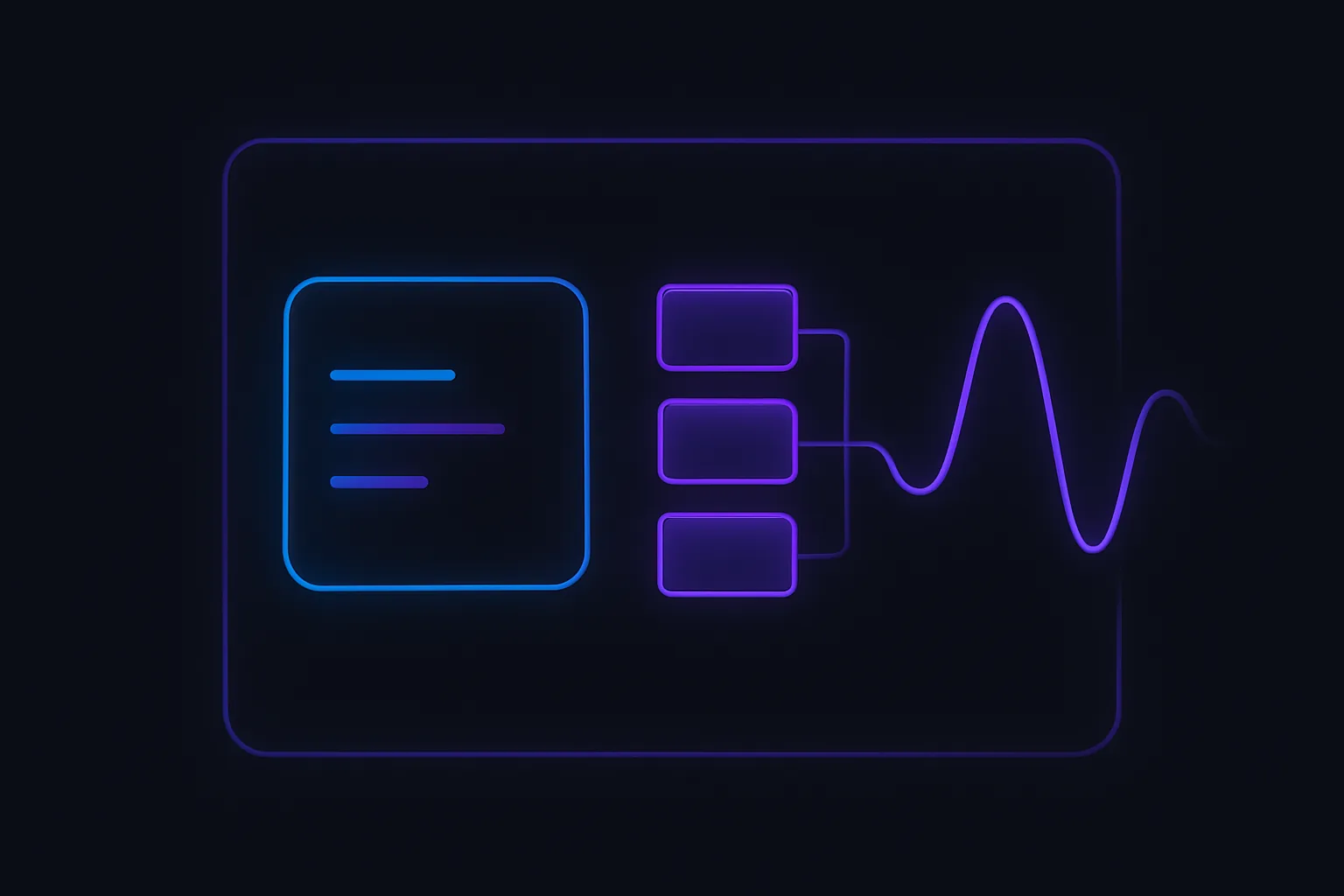
Here's a visual representation of how these strategies fit into the error handling landscape:
By carefully evaluating these factors, our React developer can make an informed decision, ensuring their application is resilient and user-friendly.
The Future of Error Handling in React
As our React developer reflects on their journey from a midnight crash to mastering error boundaries, they can't help but wonder: what's next for error handling in React? The landscape of web development is ever-evolving, and React is no exception. With each new version, the React team introduces features that push the boundaries of what's possible. Let's explore some upcoming features, community trends, and potential improvements to error boundaries that could shape the future of error handling in React.
Upcoming Features in React
The React team is continuously working on enhancing the framework, and error handling is a key area of focus. One of the anticipated features is the introduction of React Server Components. These components aim to improve the performance and scalability of React applications by allowing developers to render components on the server. While primarily a performance feature, server-side rendering can also impact error handling by shifting some error management responsibilities to the server. This could lead to more robust error handling strategies that leverage both client and server capabilities.
Another exciting development is the ongoing work on Concurrent Mode. This feature promises to make React applications more responsive by allowing React to work on multiple tasks simultaneously. Concurrent Mode could potentially introduce new patterns for error handling, as developers will need to consider how errors propagate in a more asynchronous and concurrent environment.
Community Trends
The React community is a vibrant ecosystem of developers who are constantly experimenting with new ideas and sharing their findings. One trend gaining traction is the integration of error boundaries with state management libraries like Redux and Zustand. By combining error boundaries with state management, developers can create more resilient applications that gracefully handle errors while maintaining a consistent state.
Another trend is the use of TypeScript to enhance error handling in React applications. TypeScript's static type checking can catch potential errors at compile time, reducing the likelihood of runtime errors. As TypeScript adoption continues to grow, we can expect to see more sophisticated error handling patterns that leverage its capabilities.
Potential Improvements to Error Boundaries
While error boundaries have been a game-changer for React developers, there's always room for improvement. One potential enhancement is the ability to handle asynchronous errors more effectively. Currently, error boundaries are limited to catching errors during rendering, lifecycle methods, and constructors. However, as React applications increasingly rely on asynchronous operations, there's a growing need for error boundaries to handle errors in promises and async functions.
Another area for improvement is the granularity of error boundaries. Developers often face challenges when trying to isolate errors to specific components without affecting the entire application. Future iterations of error boundaries could offer more fine-grained control, allowing developers to specify exactly which components should be affected by an error.
As our React developer looks to the future, they are excited about the possibilities that lie ahead. With upcoming features, community-driven innovations, and potential improvements to error boundaries, the future of error handling in React is bright and full of promise.
Key Takeaways: Mastering Error Boundaries
As our React developer reflects on their journey from a midnight crash to mastering error boundaries, several key insights emerge that can guide any developer aiming to enhance their error handling strategies.
Recap of Error Boundary Benefits
Error boundaries have revolutionized error handling in React applications by providing a robust mechanism to catch JavaScript errors in component trees. They prevent entire applications from crashing by isolating errors to specific components, allowing the rest of the app to continue functioning. This not only improves user experience but also aids in debugging by providing clear error messages and stack traces. By implementing error boundaries, developers can ensure that their applications are more resilient and maintainable.
Common Pitfalls to Avoid
While error boundaries offer significant advantages, they are not without their challenges. Developers must be aware of common pitfalls:
- Misplacement: Placing error boundaries too high in the component tree can lead to catching too many errors, making it difficult to pinpoint the source. Conversely, placing them too low might miss critical errors.
- Asynchronous Errors: Error boundaries do not catch errors in asynchronous code, such as those in
setTimeoutorPromisecallbacks. Developers need to handle these separately. - State Reset: When an error boundary catches an error, it may reset the component's state, leading to unexpected behavior if not managed properly.
Encouragement to Implement and Experiment
For our developer, mastering error boundaries was a transformative experience. They learned that while error boundaries are powerful, they are just one tool in a developer's toolkit. Experimentation is key. Developers are encouraged to:
- Implement error boundaries in their projects to see firsthand the benefits they offer.
- Experiment with different placements and configurations to find what works best for their specific application.
- Integrate error boundaries with logging services to gain deeper insights into error patterns and improve overall application stability.
By embracing error boundaries and continuously refining their approach, developers can build more robust and user-friendly React applications.