Building an Open Source CLI Tool in Java: A Comprehensive Guide
In the ever-evolving landscape of software development, command-line interface (CLI) tools remain indispensable. They offer simplicity, speed, and automation capabilities that GUI applications often lack. As we step into 2025, the demand for robust, open-source CLI tools is surging, driven by the need for automation in DevOps, data processing, and cloud management. This blog post explores how to build an open-source CLI tool in Java, a language renowned for its portability and performance.
Why This Topic Matters Now
The rise of cloud-native applications and microservices architecture has amplified the need for efficient automation tools. CLI tools are pivotal in managing these complex systems, offering a lightweight and scriptable interface. Java, with its mature ecosystem and cross-platform capabilities, is an excellent choice for building such tools. As organizations increasingly adopt DevOps practices, the ability to create custom CLI tools can significantly enhance productivity and streamline operations.
Deep Dive into Concepts
Choosing the Right Libraries
When building a CLI tool in Java, selecting the right libraries is crucial. Libraries like Picocli and JCommander simplify argument parsing and command execution. Picocli, in particular, is favored for its comprehensive feature set and ease of use.
@Command(name = "mycli", mixinStandardHelpOptions = true, version = "1.0",
         description = "Example CLI tool built with Picocli")
class MyCli implements Callable<Integer> {

    @Option(names = {"-v", "--verbose"}, description = "Enable verbose mode")
    private boolean verbose;

    @Override
    public Integer call() {
        if (verbose) {
            System.out.println("Verbose mode enabled");
        }
        return 0;
    }

    public static void main(String[] args) {
        int exitCode = new CommandLine(new MyCli()).execute(args);
        System.exit(exitCode);
    }
}
Designing for Extensibility
A well-designed CLI tool should be modular and extensible. Consider using a plugin architecture to allow users to extend functionality without modifying the core codebase. This can be achieved using Java's Service Provider Interface (SPI) or frameworks like OSGi.
Real-World Use Cases
- DevOps Automation: Automate deployment pipelines, manage cloud resources, and monitor system health.
- Data Processing: Process large datasets efficiently, leveraging Java's concurrency features.
- Microservices Management: Interact with microservices, manage configurations, and perform health checks.
System Design Considerations
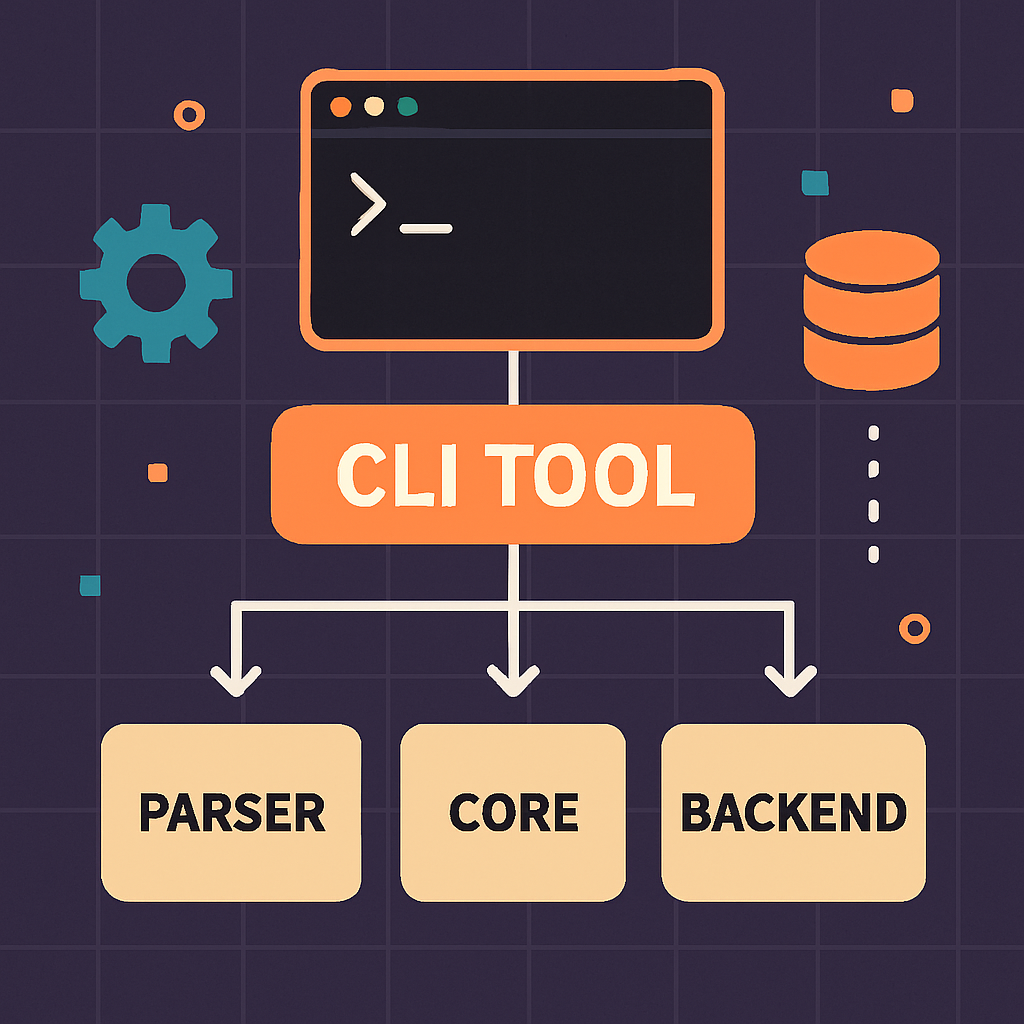
When designing a CLI tool, consider the following architecture:
This architecture ensures a clear separation of concerns, making the tool easier to maintain and extend.
Pros, Cons, and Challenges
Pros
- Cross-Platform: Java's "write once, run anywhere" philosophy ensures compatibility across different systems.
- Robust Ecosystem: Access to a vast array of libraries and tools.
- Performance: Java's performance is competitive, especially with modern JVM optimizations.
Cons
- Startup Time: Java applications can have longer startup times compared to native binaries.
- Complexity: Managing dependencies and JVM configurations can be challenging.
Challenges
- User Experience: Designing intuitive CLI interfaces requires careful consideration of user workflows.
- Testing: Comprehensive testing is essential to ensure reliability across different environments.
Best Practices / Recommendations
- Use Dependency Injection: Leverage frameworks like Spring to manage dependencies and configurations.
- Implement Logging: Use SLF4J or Log4j for logging, which is crucial for debugging and monitoring.
- Provide Comprehensive Documentation: Ensure users have access to detailed usage guides and examples.
Common Mistakes Engineers Make
- Ignoring Cross-Platform Issues: Failing to test on different operating systems can lead to compatibility issues.
- Overcomplicating the Interface: A complex CLI can deter users; simplicity is key.
- Neglecting Security: Ensure sensitive data is handled securely, especially when interacting with external systems.
When NOT to Use This Approach
- Simple Scripts: For straightforward tasks, a shell script might be more appropriate.
- Real-Time Applications: Java's garbage collection can introduce latency, making it unsuitable for real-time requirements.
How This Impacts System Design Interviews
Building a CLI tool demonstrates a strong understanding of system design principles, modular architecture, and user-centric design. It showcases your ability to create scalable and maintainable software, a valuable skill in system design interviews.
Future Outlook
As we move towards 2026, the integration of AI into CLI tools is expected to grow. AI can enhance user interactions, automate complex tasks, and provide intelligent insights. Java's evolving ecosystem, with projects like GraalVM, will continue to improve performance and expand capabilities.
Conclusion
Building an open-source CLI tool in Java is a rewarding endeavor that combines technical prowess with creative problem-solving. By following best practices and leveraging modern tools, you can create powerful, efficient, and user-friendly CLI applications that meet the demands of today's fast-paced development environments. Whether you're automating DevOps tasks or managing microservices, a well-crafted CLI tool can be a game-changer.